An image-only detail page may look perfectly fine to human visitors, but to search engines and AI answer engines, it is practically a blank page. Crawlers do not view the screen—they read the HTML, and a page made of a single flat image has virtually nothing in its HTML to read.
Rather than just explaining it in words, let’s look at an actual converted page. All figures below were measured directly from this single case.
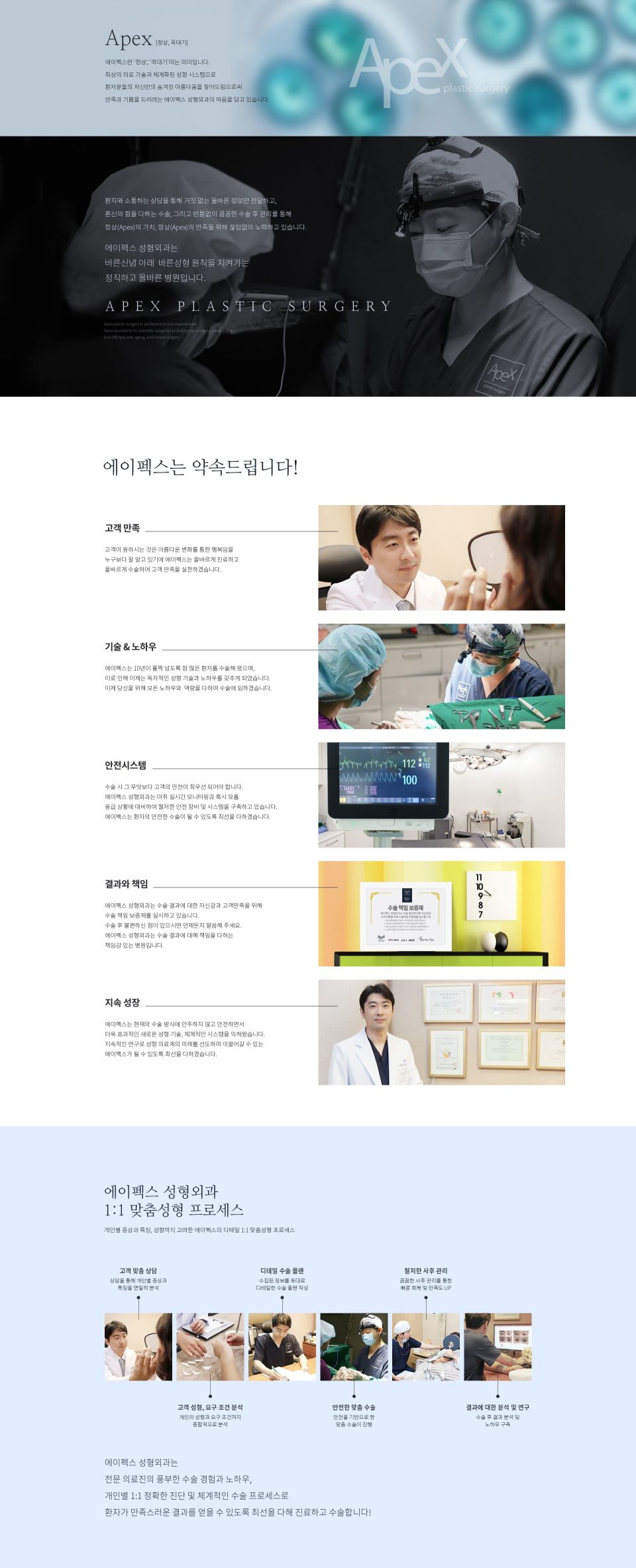
Subject: Plastic Surgery Clinic Overview Page
- Reference Canvas
1920 × 4,731 px - 1 image file,
1,158 KB - Clinic name, medical philosophy, 5 core promises, consultation process—every single word on the page was trapped in pixels.
Before Conversion: What Crawlers Could Read
| What Search Engines Look For | Image-Only Page |
|---|---|
| Body text | 0 characters |
| <title> | None |
| <meta name="description"> | None |
| Heading hierarchy (h1–h3) | None |
| Image alt text | None |
While some crawlers attempt OCR, text extracted from images carries low reliability and is rarely used for ranking. AI answer engines cannot even find sentences to cite as sources.
After Conversion: What Crawlers Can Read
| Item | Result |
|---|---|
| Body text | Restored 68 blocks · 1,561 characters into live text |
| <title> | Apex Plastic Surgery — A Clinic Upholding Principles of Honest Plastic Surgery with Integrity |
| <meta name="description"> | Automatically generated from the first paragraph of the page |
| Heading hierarchy | 1 h1 · 3 h2 · 5 h3 |
| Image alt text | Alt text assigned to all 13 images (13/13) |
| Structure | 5 sections · 1 list (6 items) |
| Document language | <html lang="ko"> |
All 1,561 characters previously trapped inside the image are now fully indexed. With a structured heading hierarchy, search engines can distinguish the main topic from sub-items. In other words, the content is now structured so AI answer engines can reference and cite it.
Original ↔ Reconstructed Output
Through all these changes, the visual appearance remains completely identical. The left panel shows the original image-only page, while the right displays the reconstructed HTML. Both panels scroll together at the same rate.
Loading…Search visibility was not achieved by compromising on design. It is the exact same visual experience, powered by readable HTML.
Quality Report
| Metric | Value | Description |
|---|---|---|
| height | ×1.000 | Total height matches the original exactly |
| rows | 0.998 | Correlation of brightness distribution across horizontal rows |
| struct | 0.66 | Structural error (lower values are closer to the original) |
| bands | 14/14 | All 14 vertical bands fall within tolerance limits |
| pxdiff | PASS | Passed pixel comparison gate |
Added Benefits
| Item | File Size |
|---|---|
| Original single image | 1,158 KB |
| Reconstructed HTML document | 29 KB |
| 13 separated images | 348 KB |
| Reconstructed Total | 376 KB (approx. 68% reduction) |
Page speed directly impacts search rankings. An image-only page forces visitors to download all 1,158 KB before the first screen appears. In contrast, the reconstructed page renders the 29 KB document first, loading individual images only as they scroll into view.
When Content Changes: A New Level of Maintainability
A clinic overview page is never static. Services, medical staff, consultation guidelines, certifications—updates are inevitable over time. However, with an image-only page, editing even a single line of text requires redesigning and re-exporting the entire image.
| Editing a Single Line of Copy | Image-Only Page | Reconstructed HTML |
|---|---|---|
| Source design file | Must locate PSD/AI files (or rebuild from scratch) | Not required |
| Who does the work | Designer or outsourced agency | Team member in charge |
| Scope of work | Edit → Re-export → Re-upload | Edit only the target sentence |
| Search impact | The image changes, but there is still zero indexable text | Edited text is immediately indexed |
| Scope of change | Entire image file (1,158 KB) | A few lines of text |
This page organizes 1,561 characters across 68 blocks under 9 headings. You can easily locate any sentence to edit by following the h2 and h3 tags, and updated text is immediately eligible for search indexing during the next crawl.
If it remained an image, updating the copy would still leave it as an empty page to search engines. You would spend time making edits with zero SEO gain. Once converted to live text, every update directly reflects in search results.
Summary
- Image-only pages are invisible in search results not because of low rankings, but because there is no content to index.
- The solution is not redesigning the layout, but rebuilding the exact same design into readable HTML.
- In this case study, 1,561 characters, 13 headings, and 13 alt tags were created, and the visual display is identical enough to pass pixel-level comparison.
- Maintenance becomes effortless. When updating copy, there is no need to recreate images—simply edit the sentence, and the update is reflected in search results starting from the next crawl.